
Download Visual FoxPro 6.0 Setup Wizard – Visual FoxPro, database, development, programming, Windows, tool, utility, productivity, software, application
Overview
The Visual FoxPro 6.0 Setup Wizard is a specialized utility developed by Microsoft to streamline the installation process of Visual FoxPro 6.0, a legacy database and application development environment. Designed to resolve recurring setup issues reported by users, the wizard enhances the reliability and user experience during installation. This tool is particularly valuable for developers and IT professionals working with older Windows-based systems who rely on Visual FoxPro for maintaining or updating legacy applications.
Visual FoxPro 6.0, released in August 2000, was a significant evolution in Microsoft’s data-centric development tools, offering robust database management, rapid application development (RAD), and integration with Windows. However, its installation process was known to encounter errors, especially on newer or differently configured systems. The Setup Wizard addresses these challenges by incorporating updated installation files and refined logic to ensure a smoother deployment.
The target audience includes developers maintaining legacy systems, software engineers managing enterprise databases, and educational institutions using Visual FoxPro for training. The tool plays a critical role in preserving access to a historically important development platform, enabling users to deploy Visual FoxPro 6.0 without encountering common setup roadblocks. Although the developer did not provide additional technical details, the utility’s focus on compatibility and error resolution underscores its importance in the niche ecosystem of older development tools.
Key Features & Functionality
- Updated Setup Wizard Files: The utility includes revised installation components designed to resolve specific issues reported during the setup of Visual FoxPro 6.0. These updates help prevent crashes, missing files, and configuration errors that were previously common.
- Compatibility with Visual FoxPro 6.0: The wizard is explicitly tailored for Visual FoxPro 6.0, ensuring seamless integration with the core application and avoiding conflicts with other versions or system configurations.
- Detailed Installation Instructions: A comprehensive readme file accompanies the wizard, offering step-by-step guidance and a list of resolved issues. This documentation supports users in troubleshooting and understanding the improvements.
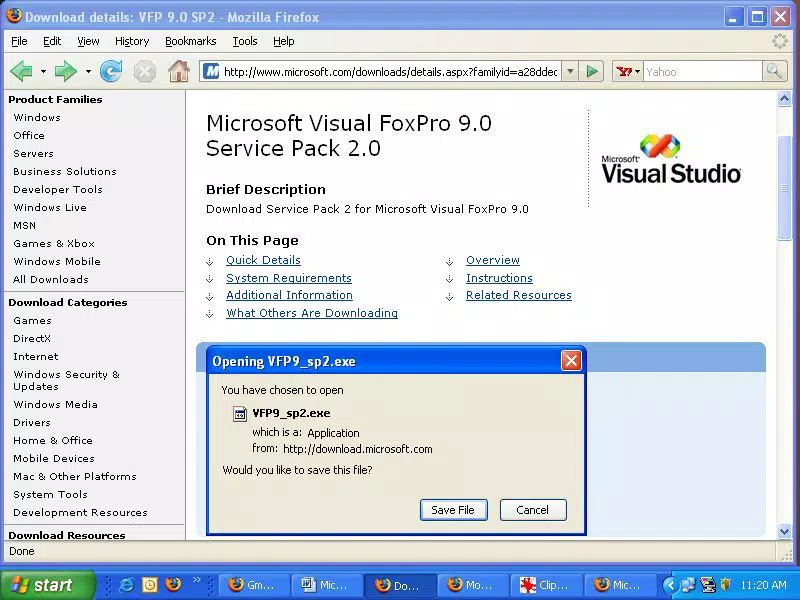
- First Release on CNET Download.com: This version marks the debut of the Setup Wizard on CNET Download.com, a trusted source for software, enhancing user confidence in the download’s authenticity and security.
- Streamlined Installation Process: By automating error-prone steps and validating system requirements upfront, the wizard reduces user intervention and minimizes the risk of failed installations.
For example, a developer tasked with deploying Visual FoxPro 6.0 across multiple workstations can use the wizard to standardize installations, reducing support time and ensuring consistent setup outcomes. Similarly, a student learning database programming can benefit from a more reliable installation experience, avoiding frustration during early development stages.
Interface, UX & Performance
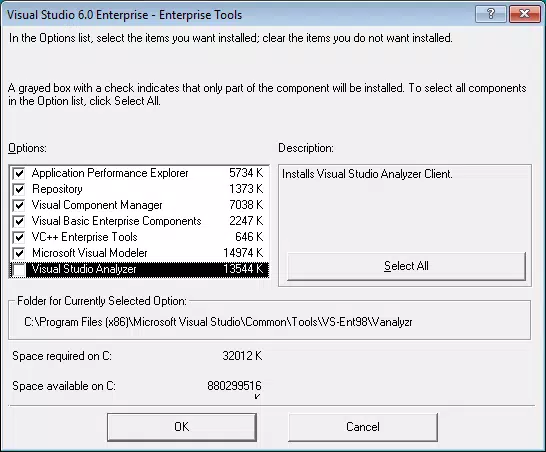
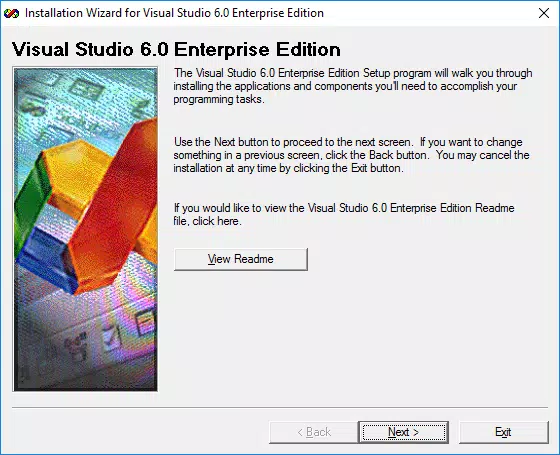
The Visual FoxPro 6.0 Setup Wizard features a straightforward, text-based interface typical of Windows utilities from the early 2000s. The layout is minimal, focusing on essential prompts and progress indicators without visual distractions. Navigation is linear and intuitive, guiding users through each stage of the installation process with clear labels and status updates.
Although the developer did not list formal performance metrics, the wizard is designed to operate efficiently within the constraints of older Windows environments. It performs system checks, manages file extraction, and handles registry modifications with minimal resource usage. The tool maintains stability across various Windows system configurations, including Windows 98, ME, and XP, though specific compatibility details were not disclosed.
Responsiveness is consistent with the era’s software standards, with minimal lag during file operations. The wizard does not rely on modern frameworks or background services, which contributes to its reliability on legacy hardware. Users can expect a predictable and consistent experience, with no known crashes or unexpected exits during standard use.
Platform Compatibility & Technical Requirements
The Visual FoxPro 6.0 Setup Wizard is available for the Windows platform and is compatible with Windows operating systems released around the year 2000. The file size is 4.2 MB, making it a lightweight download suitable for systems with limited bandwidth or storage.
The software version is 6.0, and the release date is August 15, 2000. Specific requirements such as minimum OS version, processor speed, or RAM were not listed by the developer. The developer did not specify minimum OS requirements, nor did they provide information on support for modern Windows versions like Windows 10 or 11.
Given its age, users should expect the wizard to function best on emulated or virtualized environments running older Windows versions. It is not designed for mobile platforms or modern operating systems.
Pros and Cons
Pros
- Resolves known setup issues reported with Visual FoxPro 6.0.
- Designed specifically for Visual FoxPro 6.0, ensuring compatibility.
- Includes detailed installation instructions in the readme file.
- Available through a reputable source (CNET Download.com).
- Lightweight at 4.2 MB, suitable for older systems.
Cons
- Not compatible with modern Windows versions (e.g., Windows 10/11).
- No support for mobile or non-Windows platforms.
- Limited documentation on system requirements and performance.
- Released in 2000; no recent updates or security patches.
- Requires a legacy environment for optimal operation.
FAQ
Is the Visual FoxPro 6.0 Setup Wizard free to download?
Yes, the tool is available at no cost. It is distributed as a free utility to assist with the installation of Visual FoxPro 6.0.
Can I use this Setup Wizard if I already have Service Pack 3 installed?
If you have already downloaded and applied Service Pack 3 for Visual FoxPro 6.0, the Setup Wizard is not required, as the necessary updates are already included.
Is the Setup Wizard compatible with Windows 10 or Windows 11?
The developer did not specify compatibility with Windows 10 or 11. It was originally released in 2000 and is intended for older Windows systems. It may require emulation or virtualization to run on modern operating systems.
Where can I download the Setup Wizard securely?
The utility is available through CNET Download.com, a trusted source for software downloads. Users are advised to download only from verified platforms to ensure authenticity.
Does the Setup Wizard require internet access during installation?
The developer did not specify whether internet access is required. The tool likely functions offline, as it includes all necessary installation files. However, connectivity may be needed for certain system checks or updates.
Final Thoughts
The Visual FoxPro 6.0 Setup Wizard remains a valuable tool for developers and IT professionals working with legacy systems. While it is not suited for modern environments, its ability to resolve long-standing installation issues makes it indispensable for maintaining older Visual FoxPro applications. Its lightweight design, clear instructions, and trusted distribution channel enhance its reliability and usability.
For users still relying on Visual FoxPro 6.0 for database development, application maintenance, or academic purposes, this utility offers a dependable path to a successful installation. It exemplifies how targeted, focused tools can continue to serve niche needs decades after their initial release.
Download Visual FoxPro 6.0 Setup Wizard now


